
PSD & PSB File Viewer 1.1.2.5 Release Notes

Overview: What Is New in This Update
PSD & PSB File Viewer now includes color replacement tools, a markup eyedropper, direct support for large document (.psb) files, and an adaptive viewer layout. You can also inspect files sent from other apps in a dedicated tab and zoom out to review entire layouts at a glance.
Mobile design reviews require clear visibility and fast feedback. When inspecting Photoshop files on an Android device, fixed panels can cover important details, and finding shared attachments can take extra steps. This update addresses these workflows with adjustable sheets, broader file compatibility, and faster color annotation.
Replace Color and Eyedropper Tools (Plus)
Testing alternative color options on mobile is now simpler. The new Replace Color tool lets you tap a color in your design to change matching areas together, and then save or share the result as a PNG.
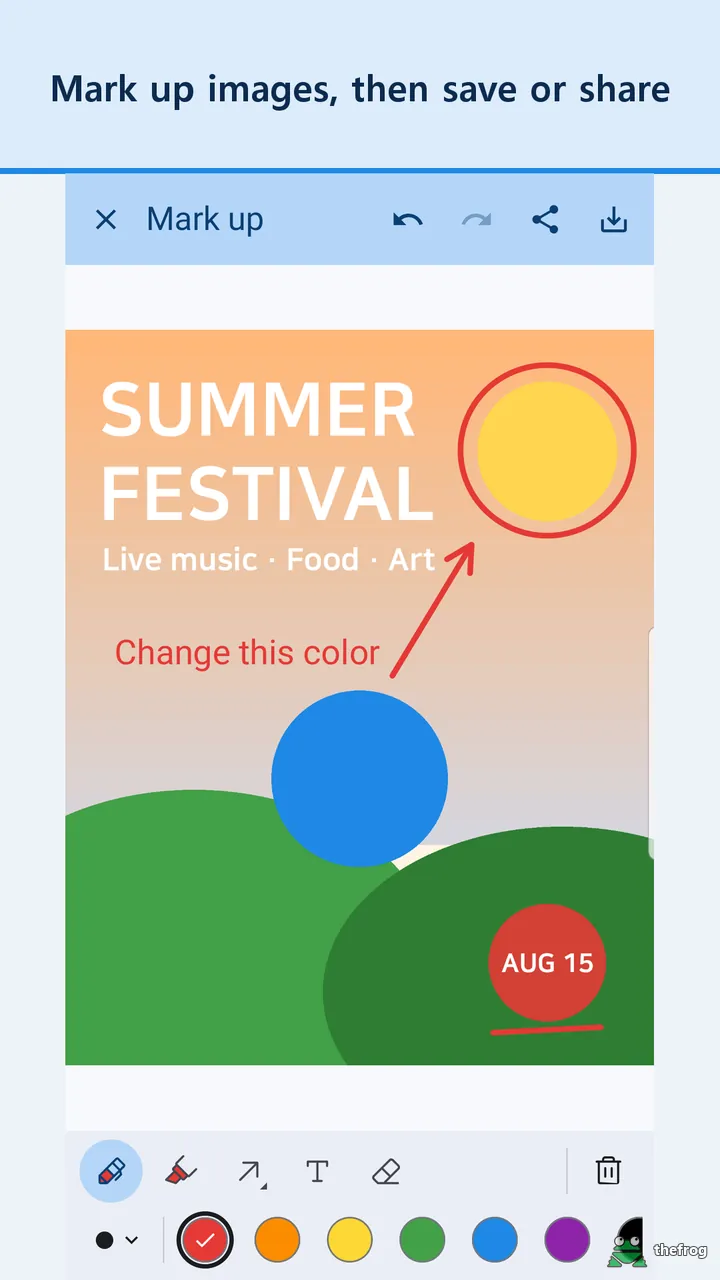
The markup tool now includes an eyedropper. You can pick any color directly from the picture and apply it to your pen, shapes, or text annotations. In addition, layer color adjustments now allow switching layers while keeping the panel open, with a clear outline marking the active layer.
Zoom Out and Adaptive Sheet Layout
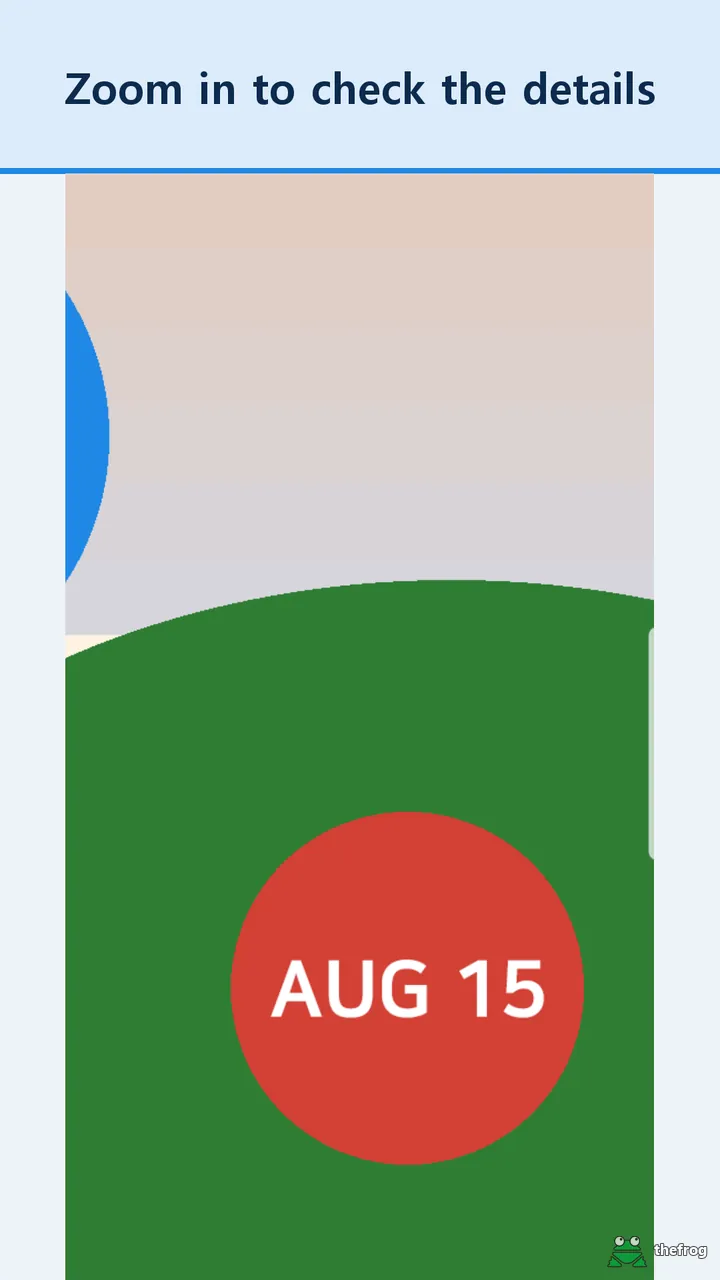
Complex layouts can require seeing both fine details and the full composition. In the viewer, you can now pinch to zoom out to half size (50% of fit-to-screen). This helps you examine the entire canvas without losing your place.
Bottom panels, such as the color panel, have also been redesigned. You can collapse the bottom sheet, expand it halfway, or drag it from anywhere on the panel. The artwork automatically adjusts to fit in the visible space above the sheet, so the panel does not cover your design.
Direct .psb Support and the Received Tab
Working across different communication tools can scatter incoming attachments. This update introduces a Received tab, making it easier to open files shared directly from other applications.
Key document improvements include:
- Direct .psb opening: Large Document Format (.psb) files open directly in the viewer.
- Received tab: Access files shared to PSD & PSB File Viewer in one organized place.
- Language support: Thai and Bengali have been added, bringing available app languages to 13.
- Other apps drawer: Brush Viewer is now listed in the menu drawer alongside AI File Viewer: Illustrator.
Free and Plus Features
PSD & PSB File Viewer provides essential inspection tools for free, with additional adjustment and annotation tools in Plus:
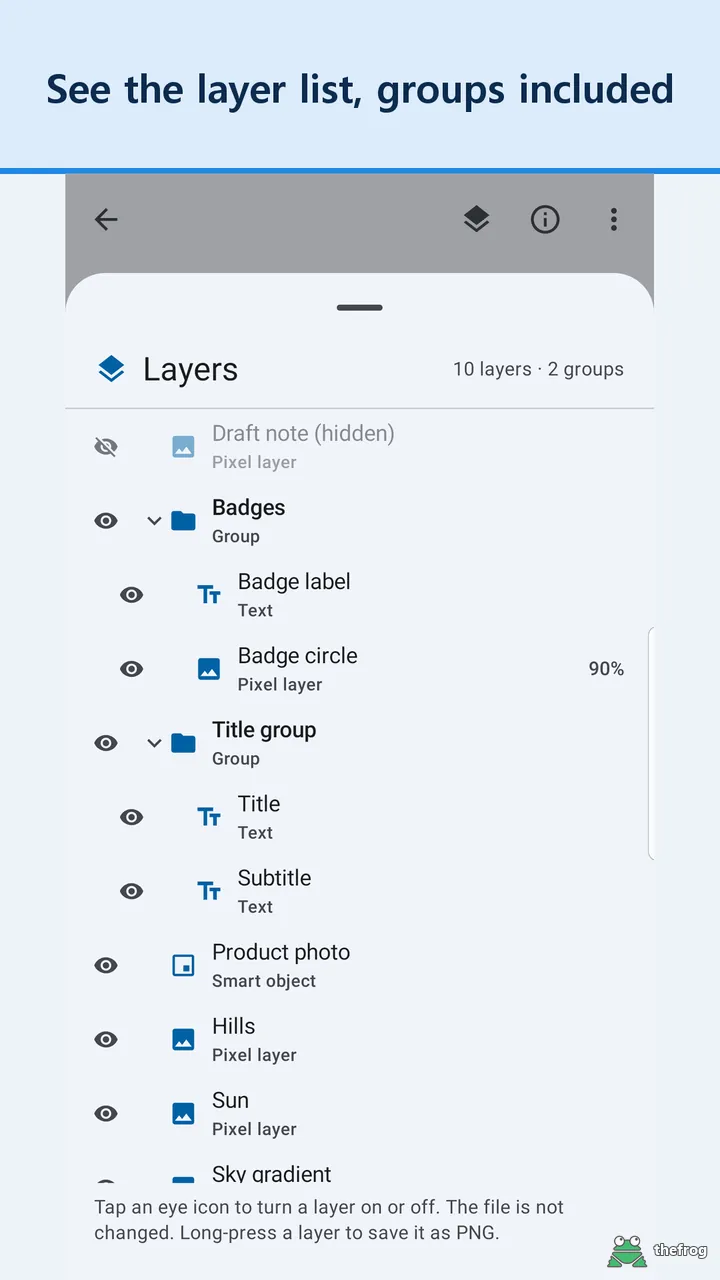
- Free: Opening PSD and PSB files, viewing layer lists and groups, pinch-to-zoom out to 50%, collapsible bottom sheets, the Received tab, and all 13 app languages.
- Plus: Replace Color, markup eyedropper, layer visibility toggles, layer color adjustments, and exporting individual layers as PNG.
About PSD & PSB File Viewer
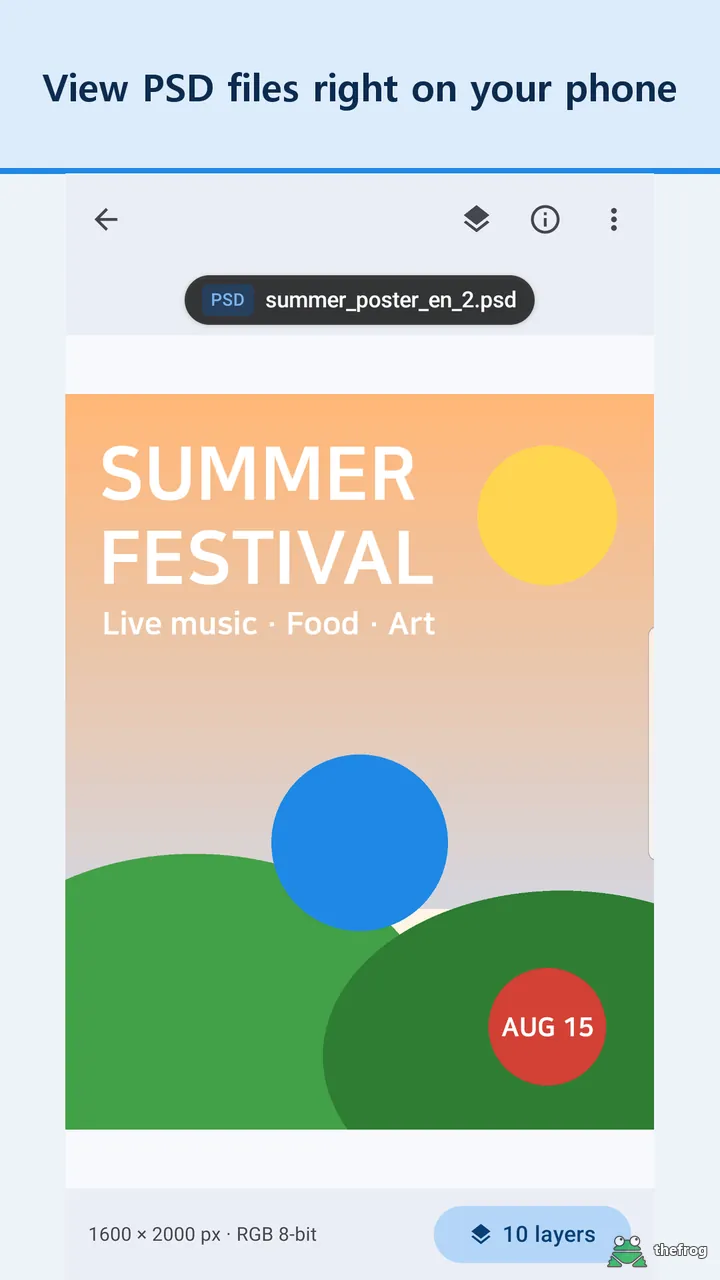
PSD & PSB File Viewer helps Android users inspect Photoshop designs, review layer hierarchies, and share visual annotations on the go. You can install PSD & PSB File Viewer on Google Play.

Learn more about PSD & PSB File Viewer or get it on Google Play.
Enjoying the app? Leave a review on Google Play: PSD & PSB File Viewer