
AI File Viewer: Illustrator 1.1.1.4 Release Notes

We are happy to share the changes introduced in AI File Viewer: Illustrator version 1.1.1.4. This post covers what changed since our previous release, 1.0.9.7. The update adds ZIP file opening, new designer tools for adding notes to your work, more app languages, and several viewing and saving improvements.
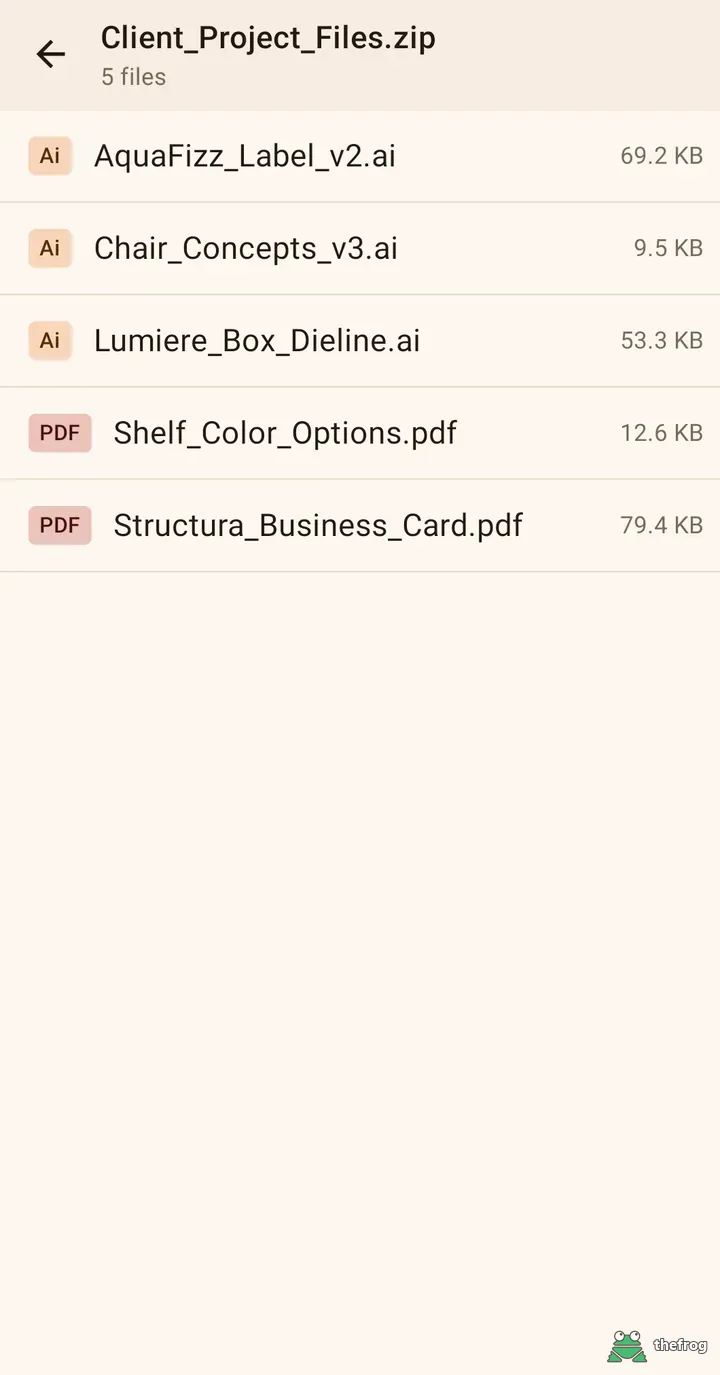
Open ZIP Files Directly
When clients or colleagues send multiple files bundled together in a compressed folder, it can be inconvenient to extract them first. You can now open ZIP files directly in the app. This new Plus feature allows you to pick and view the supported AI, EPS, PDF, SVG, and image files stored inside without needing to extract the entire archive to your device.
Password-protected ZIP files are supported, except those that use AES encryption. For files opened from a ZIP archive, sharing is limited to the current page image.
Designer Tools and Markup
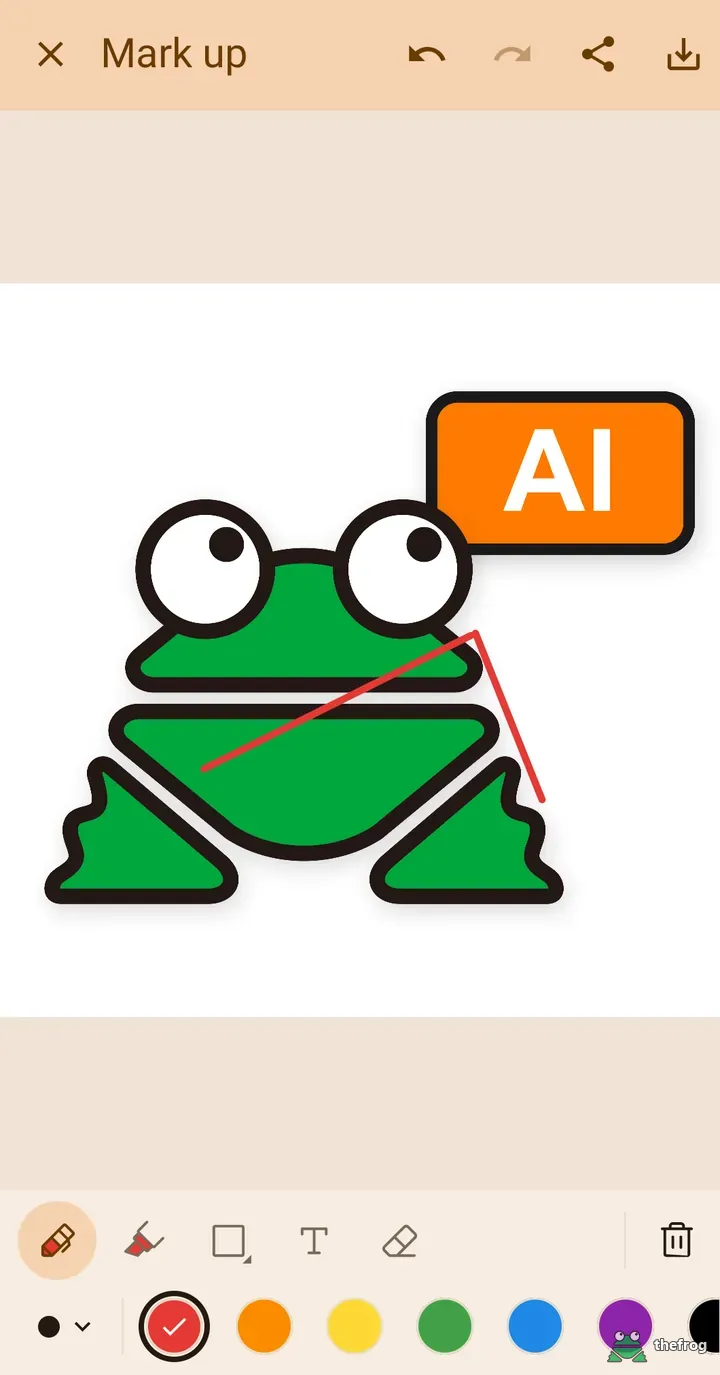
Reviewing designs and providing feedback is now easier with the newly added Plus Designer Tools. You can now use a variety of markup tools to draw directly on top of your files. This includes a standard pen, a highlighter featuring three different line widths, and an eraser to easily correct your marks. You can also insert specific shapes, including ellipses, rectangles, and arrows, as well as text notes to point out specific details. The tool icons have been updated to clearly show your currently chosen color.
To help you check exact colors on a canvas, the new color picker can show the HEX and RGB values of colors displayed on the screen. You can also export a page as a high-resolution PNG. Markup can be tried without purchase: start drawing up to 3 times. Plus includes unlimited markup.
Available in 9 Languages
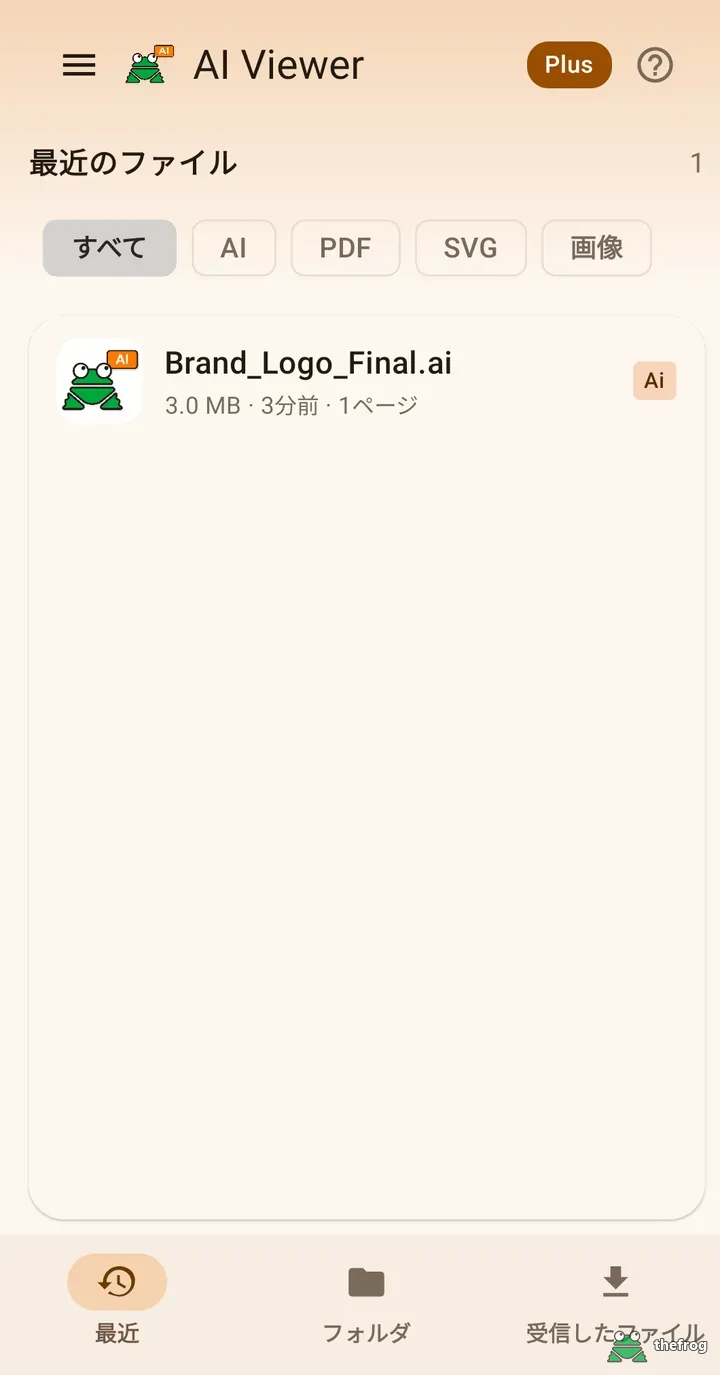
To make the app more accessible to users around the world, the app interface is now available in 7 additional languages: Spanish, Arabic, Portuguese, Japanese, German, Vietnamese, and Traditional Chinese. Combined with English and Korean, this brings the total to 9 supported languages, allowing more users to navigate the app comfortably.
Viewing and Saving Improvements
We have made several detailed adjustments to improve how you view and handle your files on a daily basis:
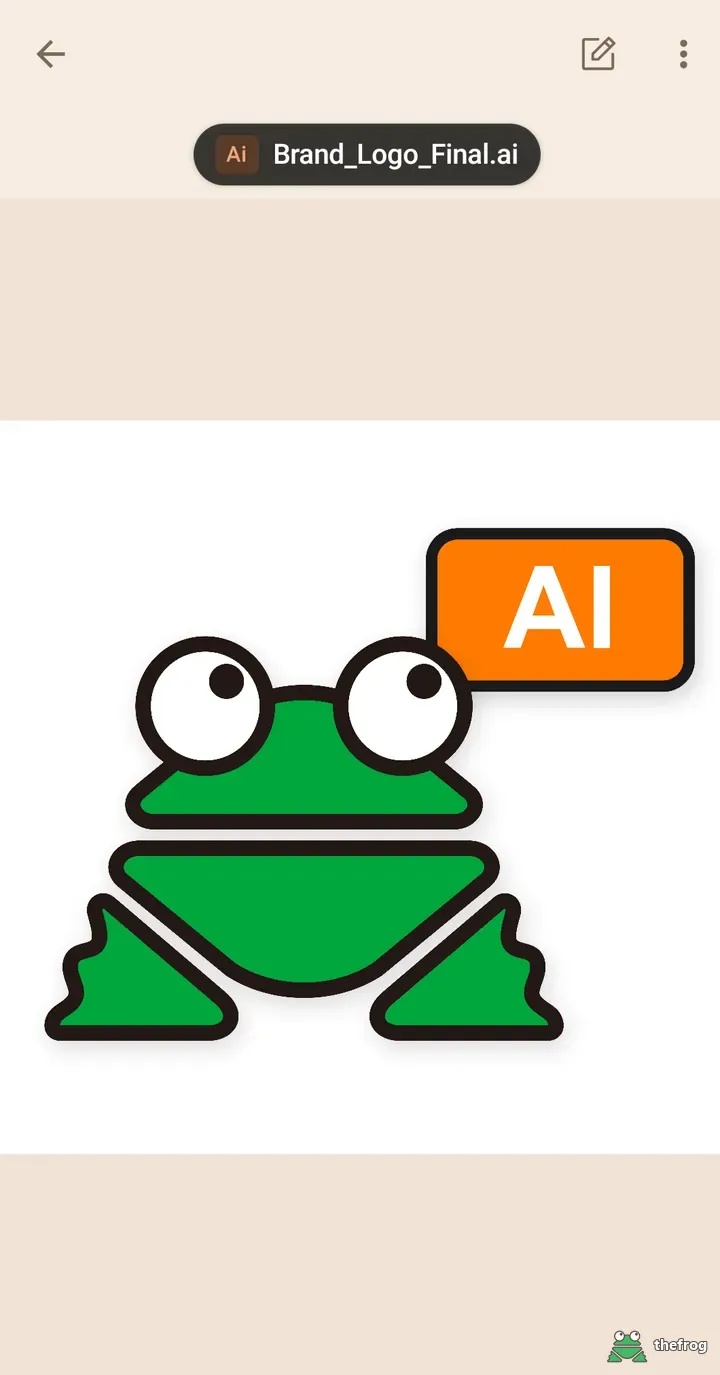
- A new file name chip now appears above your artwork so you always know exactly which file you are currently viewing. When you zoom in on a design, the top bar hides automatically to give you more uninterrupted screen space.
- The pinch-to-zoom function has been adjusted so that it follows your fingers, resulting in a more natural feel.
- The "Folder" tab navigation has been improved: going back reopens the file picker where you left off. The recent files list also updates instantly.
- Saving is safer: existing files are not overwritten or deleted when you save a new copy.
- PSD files can be opened in PSD & PSB File Viewer.
- A new "Share App" item is available in the menu.
Update Alerts and Purchase Checks
The app can now notify you when a new version is available on Google Play. We also made the Plus purchase check more reliable the first time you launch the app.
Free and Plus Features Summary
PDF, SVG, and common image files are always free and unlimited to view, requiring no purchase (except for files located inside ZIP archives). You can also open and view up to 5 different AI and EPS files for free.
The Plus upgrade is a simple one-time purchase, not a subscription. Upgrading to Plus unlocks unlimited AI and EPS file viewing, the Save as PDF feature, the full suite of Designer Tools (markup, color picker, and high-resolution PNG export), and the ability to open files inside ZIP archives.
To start using these new capabilities, simply update your app. You can read about the previous changes in the 1.0.9.7 release notes.

Learn more about AI File Viewer: Illustrator or get it on Google Play.
Enjoying the app? Leave a review on Google Play: AI File Viewer: Illustrator