
AI File Viewer: Illustrator 1.1.3.2 Release Notes

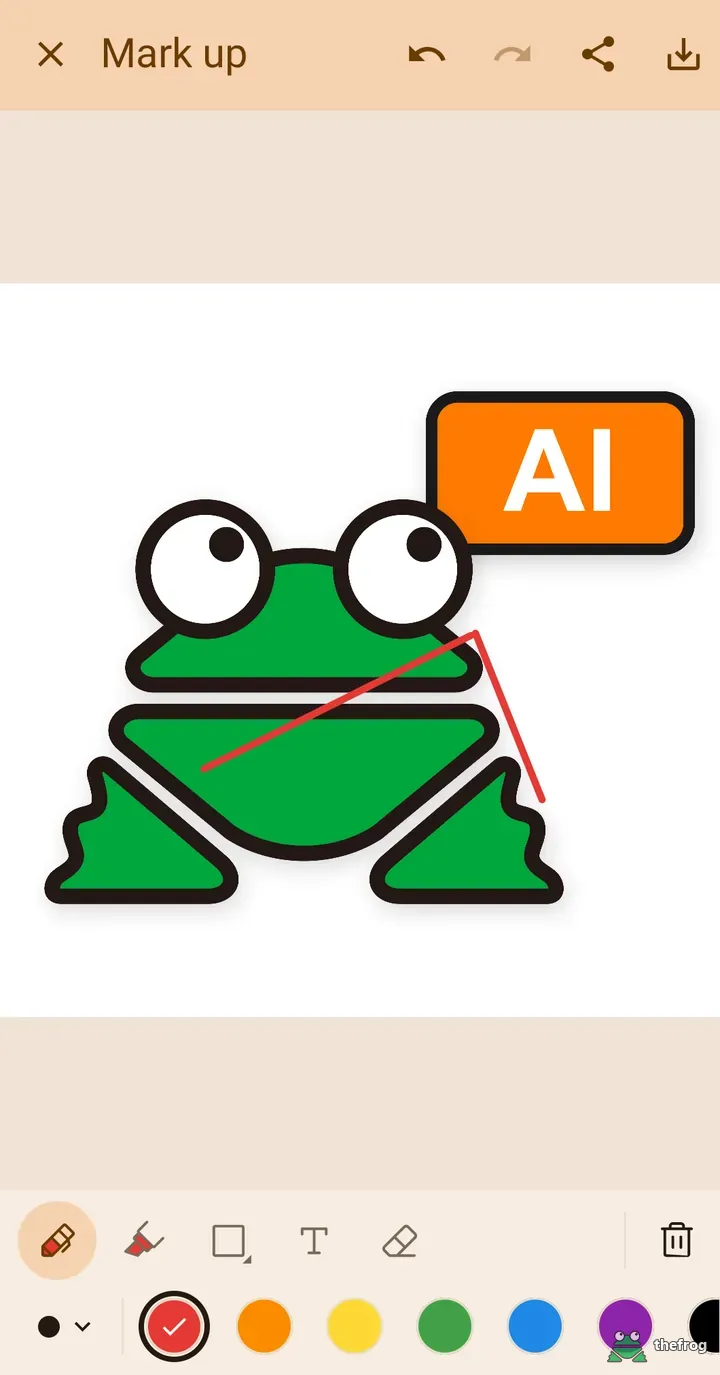
The 1.1.3.2 update for AI File Viewer: Illustrator introduces pin notes in markup, quick image copying to your clipboard, refined layouts for landscape orientation and tablets, and a fix for image-to-PDF export. This release builds on the changes from the 1.1.3.0 release notes.
Pin note
You can now add pin notes directly onto your design. Place a pin on a specific area and type your note in the adjacent box.
Pins can be selected and recolored. The text box has a defined size limit, and the text and pin scale with the artwork so they appear consistent in both portrait and landscape orientations. Placing a pin consumes one of your three free markup trials if you use the free tier. If free trials are finished, the pin and text input box will not appear until you upgrade to Plus.
Copy the marked-up image
You can now copy marked-up artwork directly to your clipboard. This allows you to paste your notes into chat apps, emails, or documents without saving an extra file to your device storage.
The copied image matches the saved or shared output. It reflects current layer visibility and any layer colors you changed. Copying follows the same usage rules as sharing markup: it is available during the three free trials or with Plus. If your image includes color changes made with the Replace a color everywhere feature, a Plus prompt will appear.
Fix: saving images as PDF
In earlier builds, saving image files such as PNG or JPG as a PDF could fail in some cases. Version 1.1.3.2 addresses this issue for Plus users when converting and saving supported image formats as PDF files.
Tablets and landscape
On larger screens and landscape displays, bottom panels and dialogs no longer stretch across the full width of the screen.
When holding a phone in landscape orientation, layer color and color replacement panels open on the right side, keeping them clear of the on-screen keyboard. The text input line for notes also stays above the keyboard so you can see your text while typing. In addition, you can pinch to zoom out on the color replacement screen to review the full artwork.
Files overwritten by other apps
When you open a file from an external app and that file is later overwritten under the same file name, AI File Viewer: Illustrator now opens the updated content if the file size changed.
Free and Plus
Here is a summary of feature availability between the free tier and Plus:
- Free: Basic file viewing and 3 free trials of markup tools (including pin notes and clipboard copying).
- Plus: Unlimited markup with pin notes and clipboard copying, saving images as PDF, and color replacement tools.
AI File Viewer: Illustrator is an Android viewer for opening and reviewing Adobe Illustrator and vector design files on mobile devices. You can install AI File Viewer: Illustrator from Google Play.
Learn more about AI File Viewer: Illustrator or get it on Google Play.
Enjoying the app? Leave a review on Google Play: AI File Viewer: Illustrator